KCSA Complete Guide 2026: Kubernetes & Cloud Native Security Associate
Everything you need to earn the KCSA in 2026 — the 6 weighted domains, exam format, cost, a 3-week study plan, and how this multiple-choice cert compares to the hands-on CKS.
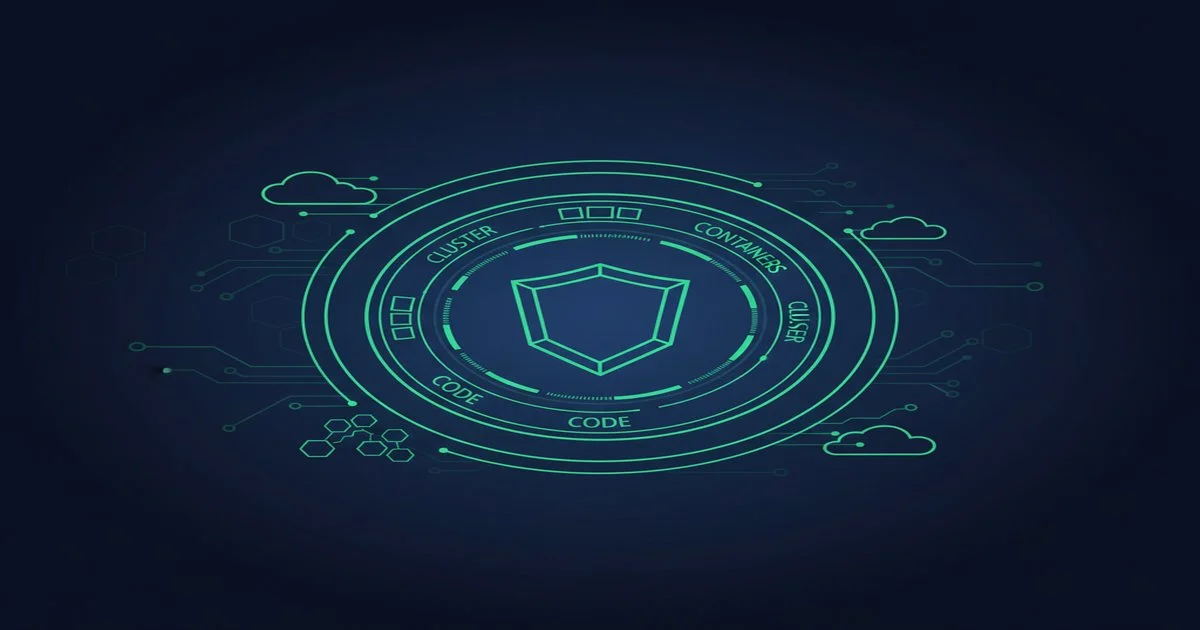
Table of Contents
The Kubernetes ecosystem now has a dedicated entry-level security certification: the Kubernetes and Cloud Native Security Associate (KCSA), offered by the Linux Foundation and CNCF. Unlike the hands-on CKS, the KCSA tests your conceptual understanding through multiple-choice questions — making it the right first security credential if you are still building practical cluster experience. This guide covers every domain, the exam format, what it costs, how it stacks up against KCNA and CKS, and a realistic 3–4 week study plan to pass it.
Important: Exam details (price, pass mark, question count) are controlled by the Linux Foundation and can change. Always cross-check with the official KCSA handbook before you register.
What Is KCSA and Who Is It For?
The KCSA is a knowledge-based, multiple-choice exam from the Linux Foundation and CNCF. It targets practitioners who want to demonstrate they understand Kubernetes and cloud-native security principles without needing to execute tasks on a live cluster. Think of it as the security-flavored sibling of the KCNA — same format, same entry-level positioning, different subject matter.
The cert is ideal for:
- Developers who work on Kubernetes-hosted applications and need to communicate about security posture with DevSecOps teams.
- Security engineers moving into cloud-native environments for the first time.
- SREs and platform engineers who hold a CKA but want a formal credential proving security knowledge before tackling the CKS.
- Auditors and compliance analysts who need to evaluate Kubernetes environments but do not operate clusters day-to-day.
There are no formal prerequisites. You do not need a CKA, CKAD, or KCNA to register. That said, a working familiarity with what Kubernetes is — pods, namespaces, RBAC, the control plane — will make your study time significantly more efficient. If you are completely new to Kubernetes, consider reading our KCNA study guide for beginners first to build the foundational vocabulary.
The KCSA is also one of the few CNCF certifications where non-operators can genuinely succeed. If you have never run kubectl apply in production, the CKS is out of reach — but the KCSA is not.
Exam Format & Cost
The KCSA is delivered online through the Linux Foundation's proctored platform. Here is the snapshot (verify all figures on the official handbook):
- Format: Multiple choice and multiple select — approximately 60 questions.
- Duration: 90 minutes.
- Pass mark: Approximately 75% (confirm on the Linux Foundation handbook — the exact threshold is not always published prominently).
- Price: Approximately $250 USD, including one free retake.
- Delivery: Online, remote proctored via PSI. You take it from your own machine.
- Validity: 2 years from the date of passing.
- Prerequisites: None.
The multiple-choice format is a meaningful difference from the performance-based CNCF certs (CKA, CKAD, CKS). You are not given a live cluster or a terminal. Instead, you answer scenario and concept questions that test whether you understand why a security control exists and how it works, not whether you can configure it under time pressure. This makes the KCSA more accessible but also means rote memorization of exam dumps will not serve you — the questions require applied understanding.
One free retake included. If you do not pass on the first attempt, the Linux Foundation gives you one free retake within 12 months. Use your first attempt as a calibration and your retake with a targeted patch plan.
The 6 KCSA Domains, Weighted
The KCSA curriculum is split across six domains. The approximate weights below are drawn from the Linux Foundation exam outline — always verify against the current version of the candidate handbook, as weights are revised between curriculum updates.
1. Overview of Cloud Native Security — 14%
The foundational layer. This domain introduces the 4Cs of cloud native security: Cloud, Cluster, Container, and Code. The 4Cs model describes how security controls at each layer complement — and depend on — the layers below. A misconfigured cloud IAM policy undermines strong container isolation; insecure application code undermines strong cluster RBAC. Expect questions on defense-in-depth principles, the shared responsibility model in cloud environments, and why shifting security left matters in a Kubernetes context.
2. Kubernetes Cluster Component Security — 22%
The second-largest domain. Covers the security properties of each Kubernetes control-plane and data-plane component: the API server (authentication, authorization, admission control), etcd (encryption at rest, access control), the scheduler, controller manager, kubelet (anonymous auth, read-only port, certificate rotation), and the container runtime. Questions here test whether you understand what each component does and what its attack surface looks like — for example, what happens if the kubelet's read-only port is exposed, or why etcd encryption at rest matters.
3. Kubernetes Security Fundamentals — 22%
Tied for the largest domain. This is the practical security controls domain: RBAC (Roles, ClusterRoles, RoleBindings, ServiceAccounts, least-privilege principles), Pod Security Standards (Privileged, Baseline, Restricted profiles and how they replaced PodSecurityPolicies), NetworkPolicy (default-deny ingress/egress, label-based allow rules), Secrets management (how Kubernetes Secrets work, their limitations, and external secrets patterns), and image security (signed images, private registries, image pull policies). This domain rewards candidates who have read the Kubernetes security documentation carefully, even without hands-on lab time.
4. Kubernetes Threat Model — 16%
Security thinking, not just configuration. This domain maps known Kubernetes attack patterns to defenses. Topics include the MITRE ATT&CK for Containers framework, supply chain threats (compromised base images, dependency confusion, CI/CD pipeline attacks), privilege escalation paths (host PID/network namespace sharing, privileged containers, hostPath mounts), container breakout scenarios, and lateral movement through over-permissioned ServiceAccounts. You are not expected to exploit anything — you need to recognize the pattern and identify the correct mitigation.
5. Platform Security — 16%
How the surrounding platform secures Kubernetes workloads. Covers admission controllers (OPA/Gatekeeper, Kyverno, ValidatingWebhookConfiguration), supply chain security tools (Cosign for image signing, SLSA framework levels, Software Bill of Materials), runtime security (Falco, seccomp profiles, AppArmor), and service mesh security concepts (mTLS, Istio/Linkerd authorization policies). This domain is growing as the cloud-native security toolchain matures — expect to know what each tool category does without needing to configure it from scratch.
6. Compliance and Security Frameworks — 10%
The lightest domain by weight but a valuable differentiator in enterprise environments. Covers the CIS Kubernetes Benchmark (what it audits, how tools like kube-bench automate checks), NIST SP 800-190 (application container security guide), the NIST Cybersecurity Framework applied to cloud-native workloads, SOC 2 relevance to Kubernetes operators, and general audit logging requirements. Candidates who have worked in regulated industries will find this domain familiar; those who have not should spend a few hours with the CIS Benchmark PDF and the NIST 800-190 executive summary.
Weight insight: Kubernetes Cluster Component Security (22%) + Kubernetes Security Fundamentals (22%) = 44% of your score. Master these two domains first before broadening to the threat model and compliance sections.
KCSA vs KCNA vs CKS
The three certifications occupy very different positions on the Kubernetes security spectrum. Here is how they compare:
KCNA — Entry-Level Cloud Native Associate
The KCNA is the broadest entry-level cert. It covers cloud-native fundamentals: Kubernetes architecture, containers, GitOps, CI/CD, observability, and service mesh concepts. It does not go deep on security. Format: multiple choice, ~60 questions, 90 minutes. If you are choosing between KCNA and KCSA as a first cert, pick based on your role: generalist cloud-native learner → KCNA; someone whose primary concern is security → KCSA.
KCSA — Entry-Level Security Associate (this guide)
Same format as KCNA (multiple choice, knowledge-based) but entirely security-focused. Deeper on RBAC, threat models, compliance frameworks, and security tooling than KCNA covers. No cluster required. Good stepping stone before the CKA if your path is ultimately toward CKS.
CKS — Certified Kubernetes Security Specialist
The CKS is the advanced, performance-based security cert. It requires an active CKA as a prerequisite. You sit at a live cluster and complete hands-on security tasks: Falco rule writing, OPA policy enforcement, NetworkPolicy debugging, image scanning, runtime anomaly detection. The CKS is what hiring managers look for when they want proof of hands-on security capability. The KCSA proves you understand the concepts; the CKS proves you can implement them. See our Kubernetes security best practices guide for a preview of the CKS mindset.
A logical certification progression for a security-focused Kubernetes engineer: KCNA or KCSA → CKA → CKS. The KCSA is not required for CKS, but it builds the vocabulary that makes CKS preparation more efficient. For the full picture of all Kubernetes certifications, see our Kubernetes Certifications Guide.
3–4 Week Study Plan
The KCSA is manageable in 3–4 weeks at 8–10 hours per week, depending on your Kubernetes background. The plan below assumes you know what Kubernetes is but have not formally studied security concepts.
Week 1: Cloud Native Security Foundations + Cluster Components
Start with the 4Cs model — read the official Kubernetes security documentation section on "Cloud Native Security" until you can explain each layer without notes. Then move to cluster component security. For each component (API server, etcd, kubelet, kube-proxy, scheduler, controller-manager), write one paragraph covering: what it does, what its default security posture is, and what a misconfiguration looks like. You do not need to configure these in a cluster for the KCSA — but understanding them conceptually is non-negotiable for the 22% domain.
Week 2: Security Fundamentals (RBAC, Pod Security, NetworkPolicy)
The heaviest study week. Work through RBAC systematically: Roles vs ClusterRoles, RoleBindings vs ClusterRoleBindings, ServiceAccount binding, the principle of least privilege applied to workload identity. Then cover Pod Security Standards: understand the difference between Privileged, Baseline, and Restricted profiles and when each is appropriate. Finish with NetworkPolicy: the default-allow-all behavior, how to write a default-deny ingress rule, and how label selectors target pods. For this domain, drawing diagrams helps more than reading prose — map the RBAC chain visually.
Week 3: Threat Model, Platform Security & Compliance
Work through the MITRE ATT&CK for Containers matrix and map each tactic to the Kubernetes primitive that mitigates it (e.g., privilege escalation → Pod Security Standards + RBAC). Study one platform security tool category per day: admission controllers (OPA/Gatekeeper vs Kyverno), image signing (Cosign), runtime security (Falco), and service mesh mTLS. For compliance, download the CIS Kubernetes Benchmark PDF and read the first 30 pages — you do not need to memorize check IDs, but understanding what the benchmark audits (API server flags, etcd permissions, kubelet configuration) will anchor the compliance domain questions.
Week 4 (optional): Mock Exams + Weak-Area Patch
Take at least two full timed mock exams under exam conditions. Review every wrong answer by going back to the official Kubernetes documentation or the relevant CNCF project page — never just memorize the "correct answer" without understanding why. Spend the final 48 hours reviewing your two weakest domains only. Studying everything the night before is less effective than targeted reinforcement of gaps.
Study tip: The KCSA rewards candidates who read official sources: kubernetes.io/docs security sections, the CIS Kubernetes Benchmark, NIST SP 800-190, and the CNCF Security Whitepaper. These are the primary sources that exam questions are drawn from.
Recommended Resources
The KCSA is newer than CKA/CKS, so the study material ecosystem is smaller. Here is what actually works:
- Kubernetes.io security documentation — the primary source. Read the "Concepts → Security" section end-to-end. It is free, authoritative, and directly maps to the exam domains.
- CNCF Security Whitepaper — free PDF from the CNCF TAG Security. The best single document for covering the cloud-native security landscape holistically, including the 4Cs model.
- CIS Kubernetes Benchmark — free download from CISecurity.org. Focus on the first three sections (API Server, etcd, kubelet) for the compliance domain.
- KodeKloud KCSA course — one of the few dedicated KCSA courses with structured coverage of all six domains.
- Linux Foundation KCSA course (LFS482) — the official preparation course. Pricier than third-party options but directly aligned with the exam curriculum.
- ExamCert CKS practice questions — while there is no dedicated KCSA exam page yet, our CKS practice questions cover RBAC, NetworkPolicy, Pod Security, and threat model concepts that overlap heavily with the KCSA security fundamentals domain. Use them to test conceptual recall.
Practice Kubernetes Security Questions — Free
Reinforce KCSA security concepts with free AI-generated questions covering RBAC, Pod Security, NetworkPolicy, and the Kubernetes threat model.
Practice Kubernetes Security QuestionsCareer Value & Next Steps
The KCSA is not a hiring filter in the same way CKA or CKS is — it is too new and too entry-level for most job descriptions to list it as a requirement. Its career value comes from two places: signaling and progression.
On the signaling side, KCSA demonstrates that a candidate cares about security in the Kubernetes ecosystem and has taken time to study it formally. For a developer moving into a platform or DevSecOps role, or a security engineer entering a cloud-native team, the cert signals genuine investment. Pair it on a CV with practical projects (a GitHub repo showing Falco rules, OPA policies, or NetworkPolicy manifests) and it carries real weight.
On the progression side, the KCSA is the clearest on-ramp to the CKS. The six KCSA domains map almost directly to the CKS curriculum — but the CKS demands that you implement the concepts on a live cluster under time pressure. Earning KCSA first means you arrive at CKS preparation already fluent in the vocabulary: you are not learning what mTLS is while also learning how to configure Istio.
The recommended path for a security-focused Kubernetes career: earn KCSA, then study for the CKA (required prerequisite for CKS), then pursue the CKS. If you plan to sit CKS in the next 12 months, our CKS exam tips guide is worth reading now — understanding where you are going makes KCSA study more purposeful.
For engineers who want to see how KCSA fits into the broader Kubernetes certification ecosystem alongside CKA, CKAD, CKS, and KCNA, our Kubernetes Certifications Guide maps all five certs by role, difficulty, and recommended order.
Frequently Asked Questions
Is KCSA hands-on like CKS?
No. KCSA is a multiple-choice, knowledge-based exam — approximately 60 questions in 90 minutes. You are not given a live cluster or terminal. CKS, by contrast, is fully performance-based with hands-on tasks in a real cluster. If you want to demonstrate practical Kubernetes security skills, CKS is the cert; KCSA validates you understand the concepts.
What are the KCSA exam domains and weights?
The six domains are: Overview of Cloud Native Security (14%), Kubernetes Cluster Component Security (22%), Kubernetes Security Fundamentals (22%), Kubernetes Threat Model (16%), Platform Security (16%), and Compliance and Security Frameworks (10%). Always verify exact weights against the current Linux Foundation candidate handbook, as they are subject to change.
How much does the KCSA exam cost in 2026?
Approximately $250 USD via the Linux Foundation, which includes one free retake. Bundle deals (e.g., KCSA + CKS) are sometimes offered at a discount. Verify current pricing on the Linux Foundation website before purchasing.
Do I need prerequisites to take the KCSA exam?
No formal prerequisites are required. The KCSA is designed as an entry-level security certification and is a good first step for practitioners who are new to Kubernetes security. Basic familiarity with Kubernetes concepts (what pods, namespaces, and RBAC are) will help, but you do not need hands-on cluster experience.
How does KCSA compare to KCNA and CKS?
KCNA (Kubernetes and Cloud Native Associate) is the entry-level knowledge-based cert covering general cloud-native fundamentals. KCSA is at the same level but focused specifically on security. CKS (Certified Kubernetes Security Specialist) is the advanced, performance-based security cert that requires an active CKA. A good progression is: KCNA or KCSA → CKA → CKS.
Plan Your Kubernetes Cert Journey
Free tools to plan study time and chart your CNCF certification roadmap.